

Quick reply
Heavy files, version conflicts, temperamental WebDAV: two ways to synchronise your AutoCAD drawings without losing work along the way.


In sectors such as construction and architecture, collaborative work accounts for a large share of the day. When a building project gets under way, for instance, a great many people and partners are involved: you may want to share design drawings with them through a cloud solution, or send them 3D data in the .dwg (DrawWinG) format specific to these industries. Produced by the design software AutoCAD, the .dwg format nonetheless comes with a number of constraints in the cloud: heavy files that take time to process, complicated collaborative work, compatibility problems with a network drive, and so on. NetExplorer can resolve these obstacles thanks to a powerful tool of its own: NetSync. Here is how.
Constraints that get in the way of collaborative work
.dwg files are large, so a cloud solution looks like a good way to share them between colleagues or partners. The constraints are numerous, though, and in several cases they can seriously get in the way of collaboration:
- If two people work on a file at the same time, one user's changes will not be taken into account. Worse, they will overwrite any edits the other has made, causing data loss.
- When you try to open or save a .dwg file from AutoCAD on a WebDAV drive (a network drive in the cloud), the process does not work properly, because WebDAV drives are not officially supported by the software.
- .dwg files are heavy and slow to process: they take a long time to open and remote access is difficult, even impossible if the internet connection is not up to it.
Two answers from NetExplorer
To resolve these constraints, NetExplorer, the French specialist in cloud file management, offers your company two options:
- The first is to synchronise your NetExplorer platform with an internal company server through a "NetSync server" licence. Everyone in the company who needs to work on documents or files from AutoCAD then simply needs access to that server, while still having remote access through the NetExplorer platform.
- The second is to synchronise your platform directly onto a user's machine with our NetSync tool. If you want to synchronise several users, this option will require a lot of storage on the client machines (the data is copied onto each user's machine).
Tip: we therefore suggest favouring the first option if a number of colleagues on the same site need to work on .dwg files. That will optimise both storage and bandwidth, since synchronisation happens on a single server. You can then share that server with your colleagues or partners through NetExplorer, directly online. In other cases, if some of your users travel frequently, you can use a hybrid setup: internally, your colleagues use the first option, while users on the move synchronise their own machine with your platform (option 2) so they can reach the data wherever they are, even offline.
NetSync, a powerful tool built entirely by NetExplorer
NetSync is NetExplorer's own data synchronisation software. It installs directly on your machine (Windows or Mac) and synchronises the folders of your choice in real time onto your desktop (or onto a server, with the "NetSync server" licence). Would you rather not use the NetExplorer web platform? You can go through NetSync instead, and your folders will be available and up to date on your desktop or on your local server. Like the web platform, NetSync tells your colleagues automatically as soon as a document is added or updated, through notifications. Find out more: https://support.netexplorer.fr/fr/kb/articles/netsync For files produced by AutoCAD, NetSync brings a number of advantages that answer the constraints listed above:
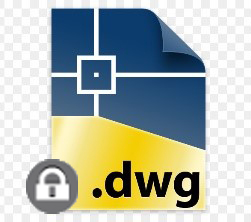
- Collaborative work is now possible thanks to automatic locking of your .dwg files (shown by an icon).
- With block delta mode, NetSync is very fast. When you edit a document, it detects and synchronises only the part that has changed, which limits the use of your internet connection and makes everything quicker, whether on a user's machine or through the "NetSync server" licence.
- You can reach your documents and files at all times, anywhere, even offline. Need to edit them offline? Not a problem: you can lock the .dwg documents you want to change before you set off. They unlock and update for other users as soon as an internet connection is available again.
- The tool is quick and simple to install on a computer or on an internal server.
For more information about what NetExplorer can do, do get in touch:
- By phone: +33 5 61 61 20 10
- Through our website: https://www.netexplorer.fr/contact
Other articles you might like
A high-performing DMS: quality document management for companies
Indexing, OCR, validation workflows and legal archiving: the features to expect from a DMS, and the key steps to roll one out.





But let's be honest, our cloud-based file storage and sharing solution is much easier.