

Quick reply
Filing by keyword rather than by folder: naming conventions, automatic inheritance and the mistakes that make tagging fall apart.



Managing documents well saves time, improves collaboration and gives information a better structure. Yet many organisations run into management systems that are heavy and complicated.
Why do tags matter here? Because they offer a dynamic, flexible way to organise your documents, which makes searching and classifying them far simpler.
What is a tag?
A tag is a label or keyword you attach to your documents so you can identify them quickly. Unlike traditional folders, document tags allow classification across categories. A document can carry several tags, which makes it easier to organise and to find.
Folders are static: a document can only sit in one folder at a time. With tags, by contrast, you can apply several labels to the same file. That flexibility makes complex, multi-purpose documents much easier to manage.
The benefits of tags in document management
Fast, targeted search
With tags, searching is instant and precise. You can find a document in seconds simply by typing the keyword attached to it. No more working your way through endless folder trees.
Dynamic, flexible classification
Tags let your files be organised in a living way. You can add, remove or change tags as your needs evolve, so your management system keeps pace with your company.
Better collaboration and information sharing
Thanks to tags, teams can share documents easily. Each person finds the information they need by tag, which improves productivity and keeps teams aligned, particularly on projects spanning several departments.
How to structure your tags well with NetExplorer
Creating an effective naming convention
To get the most out of tags, it is crucial to put a clear naming convention in place. Keywords have to be relevant and consistent if searching is to be quick. Using simple, well-defined terms will make life easier for everyone in the organisation.
Automate how tags are applied by attaching them directly to a folder. Everything added to that folder then inherits the tags defined on the parent folder.
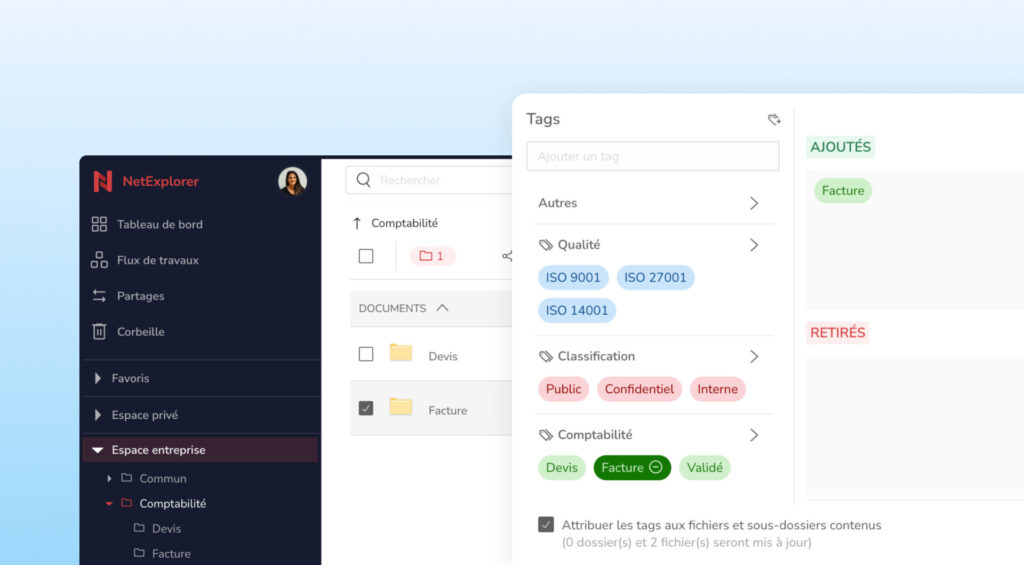
Organise your tags by grouping them by theme or by department, using our tag category system.
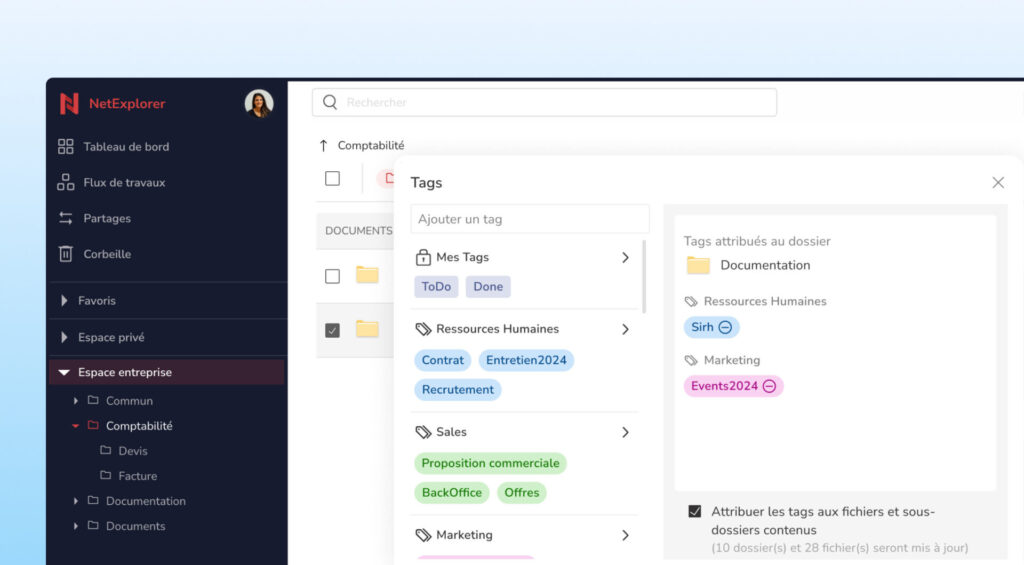
Too many tags can make your system confusing. Avoiding redundancy, in the shape of similar terms or synonyms, is essential. Keeping things simple is the key to a structure that stays effective over time.
Setting up custom tags to suit your company
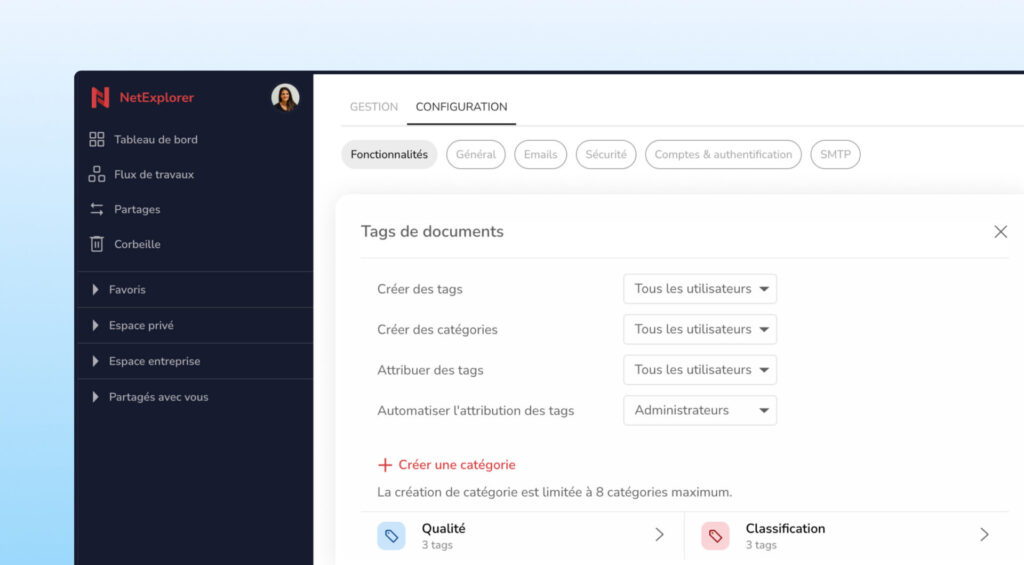
Every company is different, which is why it matters to tailor your document tags to your own needs. NetExplorer lets you create bespoke tags that fit your organisation's processes, so document management is shaped around the way you work.
Set the access levels for document tags according to what your organisation needs.
Tags in practice
Managing projects across departments
When a project involves several departments, tags make it easier to follow. Each department can apply its own tags, giving everyone on the team a quick overall view.
Tracking document versions
For documents that evolve, such as contracts or sales proposals, tags help you keep track of the different versions. Assigning a tag to each version avoids mistakes when updating and speeds up the approval process.
Making search easier for remote teams
With the rise of remote working, tags have become an essential tool. They let teams working at a distance reach the documents they need quickly, without having to work through multiple folders.
Good practice and mistakes to avoid
Standardising tags within a team: it is important to standardise tags across your team. A poorly structured tag system leads to confusion and lost efficiency. Make sure everyone uses the same keywords for similar documents.
Letting your tag system evolve with the company: your company changes, and so do your document management needs. It is therefore essential to revisit your tags regularly so they keep reflecting the realities and objectives of your business.
Tags are a powerful way to improve document management, and they make collaboration between teams easier. To get the full benefit of document tags, it is crucial to structure your system and let it evolve as your company's needs change. Adopt the approach today with NetExplorer and work more efficiently. Try our tag system now.
Other articles you might like
What is a data room?
Definition, mechanics and use cases of the virtual dataroom: mergers and acquisitions, due diligence, fundraising and sensitive audits.




But let's be honest, our cloud-based file storage and sharing solution is much easier.